

This guide will show you how to manage Safehouse Protection and Access in a Project Zomboid Server
Click here to order your Project Zomboid server with Citadel today!
Safehouses are an important feature in Project Zomboid multiplayer, allowing players to claim buildings and establish secure locations where they can store supplies, organize resources, and protect their progress throughout the apocalypse. For server owners, configuring safehouse protection and access settings is essential for creating a balanced multiplayer experience, whether your server focuses on cooperative survival, role-playing, or competitive gameplay. Project Zomboid provides several safehouse-related configuration options that determine how players claim properties, who can enter claimed buildings, and what restrictions apply to other survivors. By adjusting these settings, you can control whether players are allowed to claim safehouses, whether non-members can enter or loot protected properties, and whether safehouse protections remain active under specific conditions. These options can help prevent unwanted interference, protect player-built bases, and establish clear rules for interactions between members of your server community. Understanding these settings is particularly important when managing a public server, where players may have different expectations regarding base security and access permissions. For example, a cooperative server may benefit from stronger safehouse protections to encourage teamwork and long-term progression, while a PvP-focused server may allow more interaction between rival groups to create additional challenges. You can tailor the available options to suit your community's preferred playstyle and maintain a consistent set of rules for everyone. In this guide, we'll walk you through how to access and configure your Project Zomboid server's safehouse settings, including options related to safehouse claiming, access permissions, and protection rules. Before making any changes, we recommend stopping your server and creating a backup of your configuration files. After saving your changes, restart the server if required to apply the updated settings and verify that safehouse behavior matches your intended rules.
Configuring Safehouse Settings
1. Log in to your Game Control Panel.
2. Before making any modifications, stop the server from running by clicking the Stop button.

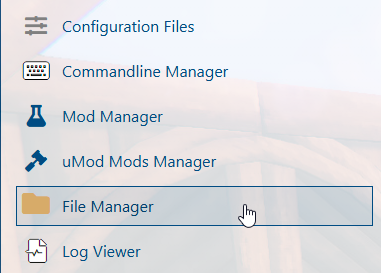
3. Navigate to the File Manager section.
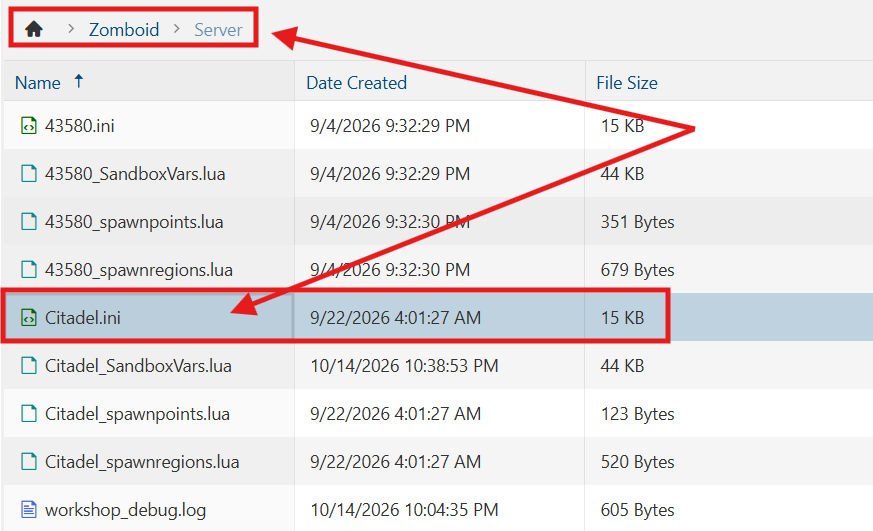
4. Navigate to the /Zomboid/Server directory and locate the [SaveName].ini file, replacing [SaveName] with the name of your server's save.
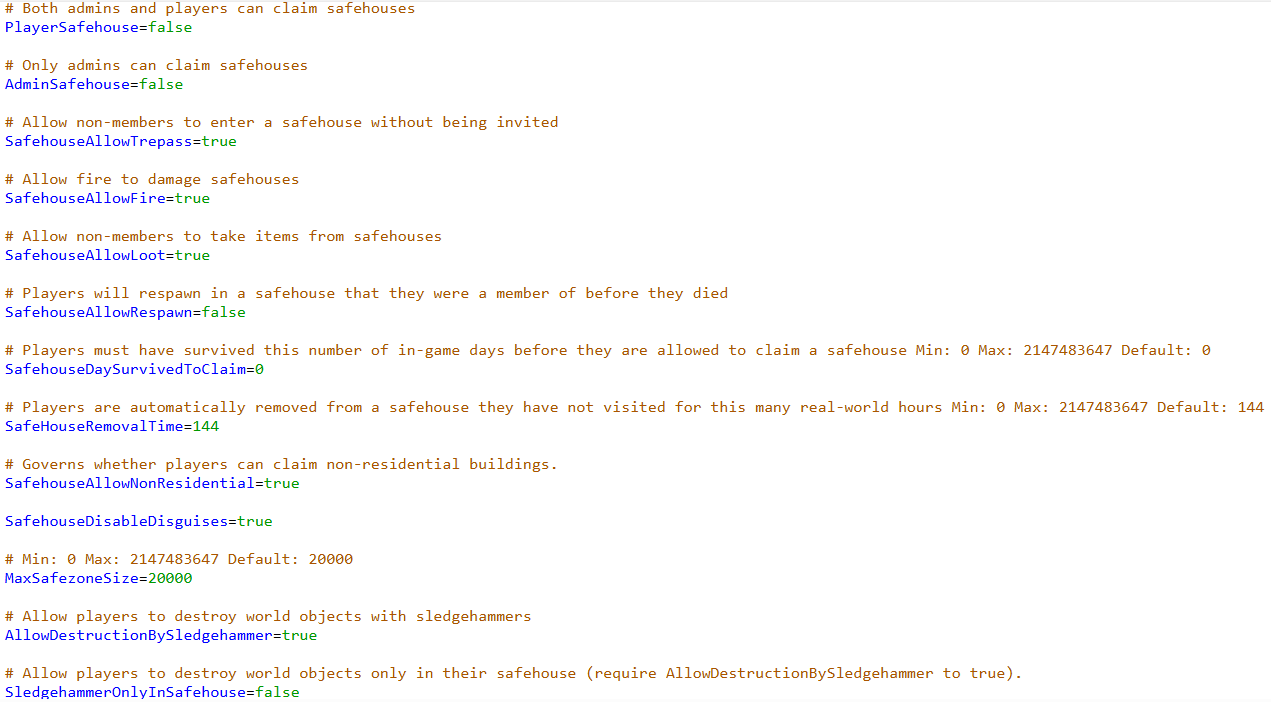
5. Locate the PlayerSafehouse= line in the file and set its value to true to enable player safehouses. You can also adjust any additional safehouse settings according to your preferences. Refer to the list below for the available options and their functions.
| Setting | Description |
|---|---|
PlayerSafehouse=[true/false] |
Allows both admins and players to claim safehouses. |
SafehousePreventsLootRespawn=[true/false] |
Items will not respawn in buildings that players have claimed as a safehouse. |
AdminSafehouse=[true/false] |
Allows only admins to claim safehouses. |
SafehouseAllowTrepass=[true/false] |
Allows non-members to enter a safehouse without being invited. Bypassed by certain war settings. |
SafehouseAllowFire=[true/false] |
Allows fire to damage safehouses. |
SafehouseAllowLoot=[true/false] |
Allows non-members to take items from safehouses. Bypassed by certain war settings. |
SafehouseAllowRespawn=[true/false] |
Players will respawn in a safehouse that they were a member of before they died. |
SafehouseDaySurvivedToClaim=[Days] |
Players must have survived this number of in-game days before they are allowed to claim a safehouse. Min: 0 Max: 2147483647 |
SafeHouseRemovalTime=[Hours] |
Players are automatically removed from a safehouse they have not visited for this many real-world hours. Min: 0 Max: 2147483647 |
SafehouseAllowNonResidential=[true/false] |
Governs whether players can claim non-residential buildings. |
MaxSafezoneSize=[Tiles] |
Sets the maximum size for safezones. Min: 0 Max: 2147483647 |
SledgehammerOnlyInSafehouse=[true/false] |
Allow players to destroy world objects only in their safehouse. Requires sledgehammer destruction to be enabled. |
DisableSafehouseWhenOwnerConnected=[true/false] |
Sets whether the safehouse acts like a normal house if an owner is connected, making it fully lootable/enterable. |
6. After editing, click Save to apply the changes.

You can now start playing on your server.
Did the above information not work for you?
Please click here to contact our support via a ticket.