
This guide will show you how to configure Enemy Settings on your Enshrouded Server
Not a client yet? Order an Enshrouded Server today with Citadel Servers
Customizing the enemy settings on your Enshrouded server allows you to tailor combat and exploration to your preferred playstyle. You can adjust various settings to make enemies more challenging or create a more relaxed experience for you and your players. Whether you want tougher enemies or a less demanding adventure, configuring these settings gives you greater control over the overall difficulty of your server. In this guide, we’ll show you how to configure the enemy settings on your Enshrouded server.
Modifying Enemy Settings on Your Enshrouded Server
1. Log in to your Game Panel and navigate to your service.
2. Before making any modifications, stop the server from running by clicking the Stop button.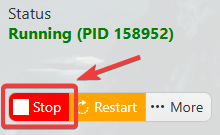
3. Navigate to the Configuration Files section.

4. Make sure the Difficulty Preset is set to Custom. This allows you to manually adjust the individual server settings, including the crafting speed.
(Note: Check the other difficulty options, as the custom preset will overwrite previous modifiers.)
5. Adjust the Enemy and Boss settings according to your preferred gameplay experience. You can modify the available options to increase or decrease the difficulty and customize how enemies and bosses behave on your server.
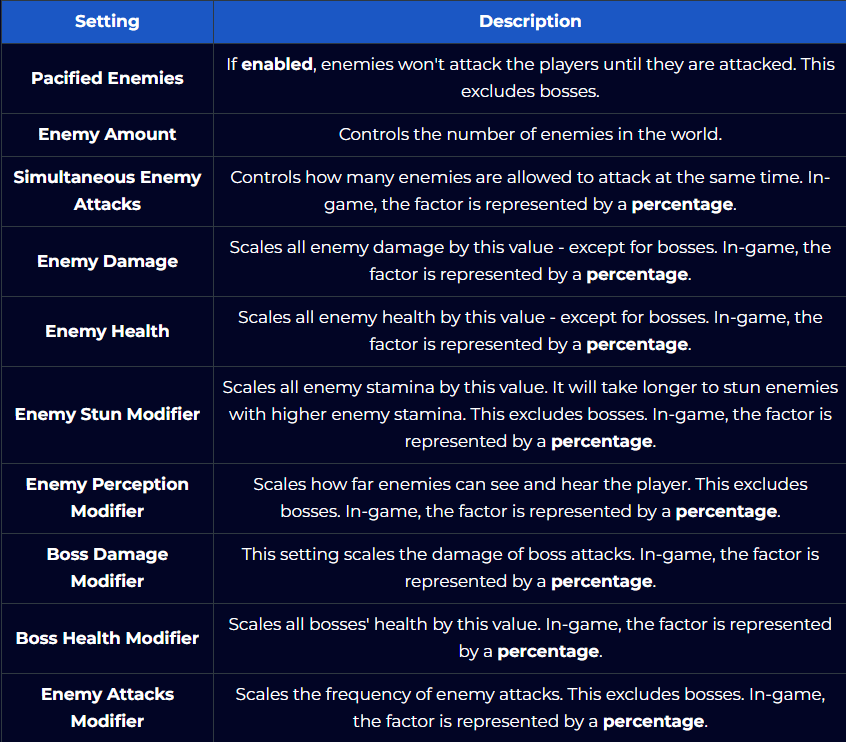
6. After editing, click the Save button to apply the changes.

Did the above information not work for you?
Please click here to contact our support via a ticket.